Monday, November 25, 2024

The Growing Threat of Supply Chain Attacks in Cybersecurity


Supply chain attacks have become one of the most concerning and complex cybersecurity threats in recent years. These attacks target organizations not directly but through vulnerabilities in their supply chain—whether through third-party vendors, software providers, or service partners. 

The increasing complexity and interconnectedness of global supply chains provide cybercriminals with more opportunities to infiltrate systems and cause widespread damage. As businesses become more dependent on external suppliers for software, hardware, and services, the risk of these attacks continues to rise.

1. What is a Supply Chain Attack?

A supply chain attack occurs when a hacker infiltrates a company's network or systems by exploiting vulnerabilities in its suppliers or partners. The attack often targets software or hardware provided by third-party vendors. Once compromised, attackers can distribute malware, steal sensitive data, or carry out more advanced attacks like espionage or sabotage.

These attacks can target different stages of the supply chain, including:

  • Software vulnerabilities: Hackers exploit flaws in widely used software or updates to infiltrate multiple organizations that use the same platform.
  • Hardware manipulation: Attackers may physically alter hardware components before they reach the organization, embedding malware that activates later.
  • Third-party service providers: Companies often rely on external providers (e.g., for cloud storage, maintenance, or customer support), giving attackers opportunities to access sensitive data.


2. The Financial and Operational Consequences:

The consequences of a successful supply chain attack can be severe. Here are some of the key impacts:

  • Financial loss: Costs related to data breaches, ransomware payments, remediation efforts, legal fees, and fines can run into millions of dollars. For example, the SolarWinds breach was estimated to cost its victims over $90 million in response and remediation.

  • Reputational damage: A supply chain attack can damage an organization’s reputation, especially if it involves customer data. Trust is a critical asset for any business, and once compromised, it can take years to rebuild.

  • Operational disruption: A successful attack can cause significant disruption to business operations, especially if it involves critical infrastructure or key software systems. This can lead to downtime, loss of productivity, and delays in service delivery.

  • Intellectual property theft: Supply chain breaches can lead to the theft of proprietary information, such as product designs, research data, and business strategies. This can undermine competitive advantages and lead to further financial losses.


"We Can Help You Build Your Website – Contact Us Now!"

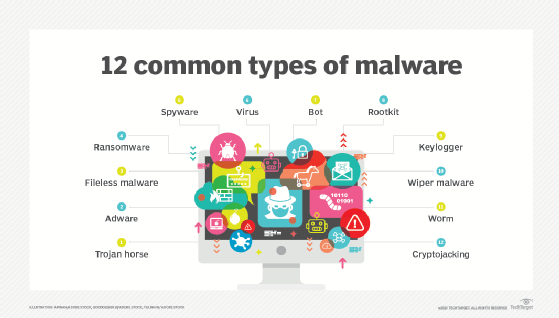
Malware Types and How They Affect Your Devices


1. Viruses:

  • How They Work: Viruses attach themselves to clean files or programs, and when the infected file is executed, the virus spreads to other files or programs.
  • Impact: They can corrupt or delete data, slow performance down, or even prevent systems from operating. Certain viruses may be programmed for destructive acts, such as deleting files or stealing information.


2. Worms:

  • How They Work: Worms are self-replicating malware that spread across networks without needing a host file. They exploit vulnerabilities in software to infect other devices.
  • Impact: These worms will cause network congestion, and systems will slow down very considerably. They may even create a backdoor for hacking purposes and lead to data theft or system crashes.
3. Trojan Horses (Trojans):

  • How They Work: Trojans disguise themselves as legitimate software or files to trick users into downloading them. Once executed, they can perform malicious actions.
  • Impact: Trojans can steal data, install other malware, or provide hackers with remote access to your device.
  • Example: The "Zeus" Trojan, often used to steal banking information.


4. Ransomware:

  • How They Work: Ransomware locks or encrypts files on a device and demands payment (ransom) from the victim to restore access.
  • Impact: It can block access to crucial files and services, causing significant disruptions. In some cases, even if the ransom is paid, data may not be restored.
  • Example: "WannaCry," a ransomware attack that affected hundreds of thousands of computers worldwide in 2017.

5. Spyware:

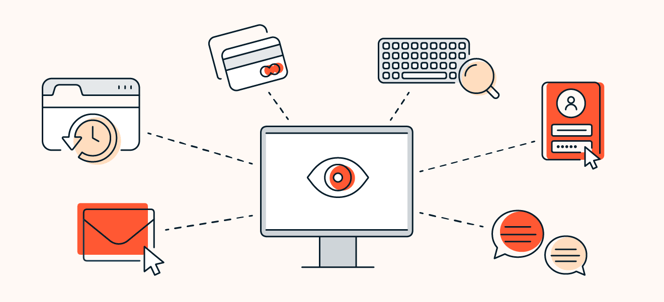
  • How They Work: Spyware secretly collects information from the victim's device without the owner's knowledge. It may be able to track browsing habits, record keystrokes, or capture login credentials.
  • Impact: Spyware undermines privacy, sometimes stealing sensitive data like passwords, credit card information, or even personal details. It may also cause the system to slow down.
  • Example: "CoolWebSearch," a spyware that collected browsing data and modified search engine results.
6. Adware:

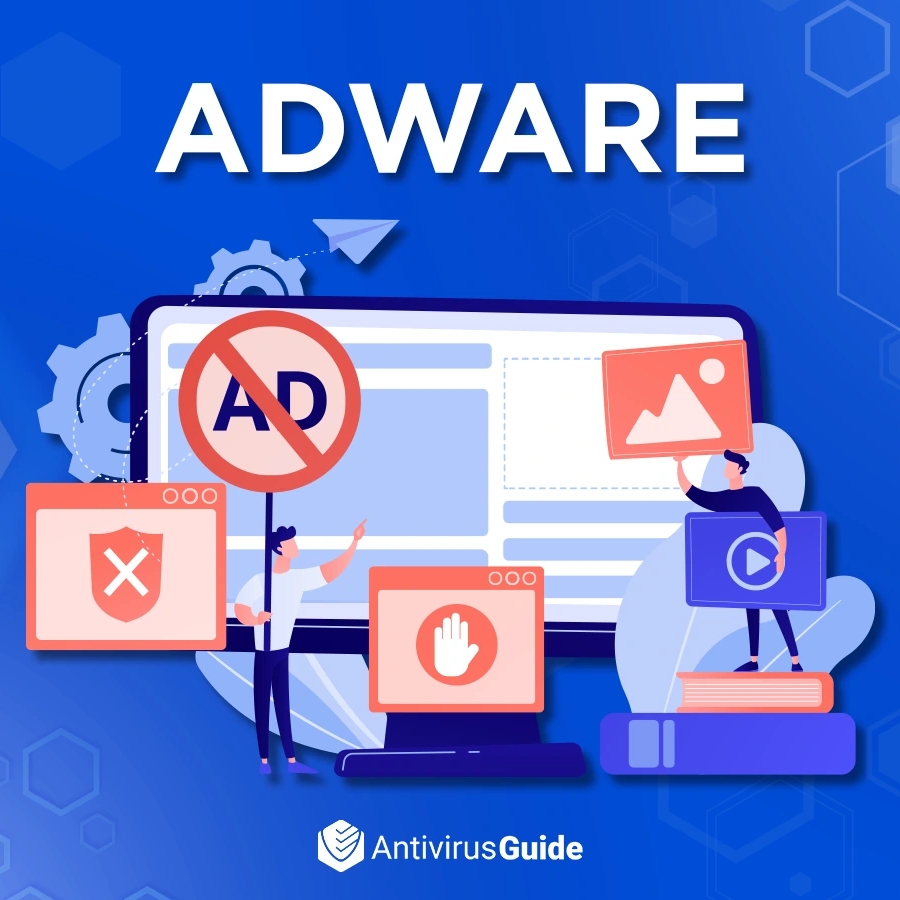
  • How They Work: Adware displays unwanted ads, often in the form of pop-ups or redirects. While some adware is not inherently malicious, it can track browsing behavior and invade privacy.
  • Impact: It can slow down device performance, clutter your screen with intrusive ads, and sometimes lead to further infections.
  • Example: "Gator," a software that displayed ads but also tracked user activity.
7. Rootkits:

  • How They Work: Rootkits are intended to grant unauthorized access to the system and conceal their existence, often by fiddling with system files or processes.
  • Effects: They allow cyberthieves to retain possession of the compromised machine, carry out harmful acts, and siphon data away in the dark.
  • Example: "Stuxnet," the rootkit used in the targeted attack on Iran's nuclear program.


"We Can Help You Build Your Website – Contact Us Now!"


Saturday, November 23, 2024

Cyber Security Threats


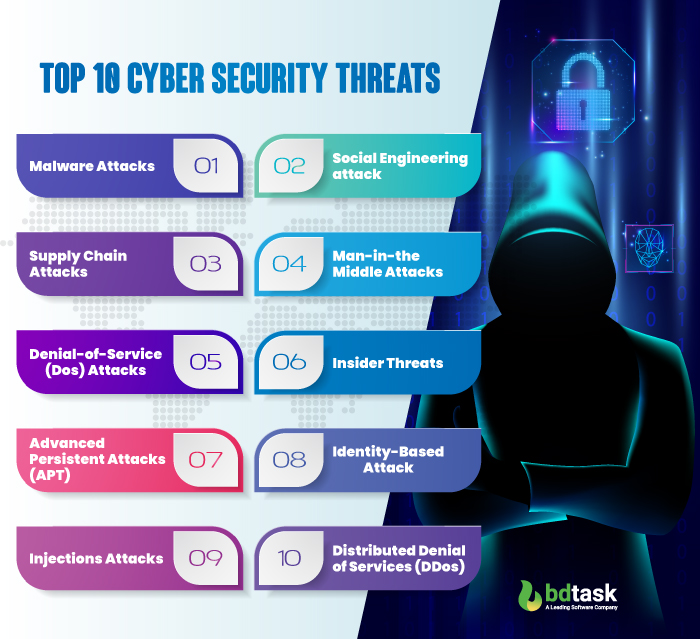
 1. Malware:

Malicious Software which is designed to harm or exploit any device, service or network.

Types of Malware:

Viruses Code that attaches to legitimate programs and spreads when executed.
Worms Self-replicating malware that spreads across networks without user intervention.
Trojans Software that masquerades as legitimate programs but performs harmful activities in the background.
Ransomware Encrypts a victim's files, demanding payment for their release
Spyware Stealth software secretly monitors user activities, often for stealing sensitive information.
Adware: Unwanted software that automatically displays ads.


2. Social Engineering:

The art of forcing people to reveal confidential information or otherwise compromise security, often in the guise of another reason.
Common Techniques:
  • Pretexting: Creating a fabricated scenario to obtain sensitive information.
Baiting is luring a victim by offering something attractive to gain information or install malware.


3.Supply Chain Attacks:

A supply chain attack targets an organization's vendors or third-party partners for access to its systems based on the trust organizations have in their suppliers. These include compromised software, hardware, service providers, and maybe even stolen credentials for network access.

Some types of supply chain attacks include:

  • Software supply chain attacks: for example, the SolarWinds attack
  • Hardware tampering (embedding malicious components in hardware)
  • Third-party service breaches (breaches involving contractors or suppliers)
  • Phishing/social engineering targeting supply chain employees


4. Man-in-the-Middle (MitM) Attacks:

An attack where a third party intercepts and possibly alters communication between two parties unaware of it.
Example: Intercepting a message during an online transaction to steal sensitive data.


5.Denial-of-Service (DoS) : 

Attacks that flood a system, server, or network with excessive traffic, making it unavailable to its intended users.
Difference: In a DoS attack, the traffic comes from a single source, while in a DDoS, the traffic is distributed across multiple sources, making it harder to block.


6. Insider Threats:

An inside threat comes from individuals such as employees, contractors, or business partners of an organization who have access to the company's systems and data.
Types:
Malicious insiders intentionally steal or leak data.
Negligent insiders unwittingly expose data either through carelessness or some form of ignorance.


7. Advanced Persistent Threats (APT):

 Long-term targeted attacks where the attacker infiltrates a network and maintains unauthorized access over some length of time to steal data or spy on an organization.
  • Characteristics: These are usually state-sponsored and can be highly sophisticated and co-ordinated attacks.


8.Identity-based attack:

An identity-based attack focuses on exploiting vulnerabilities in identity management to pretend to be existing users and unlock access to systems or data without permission. Standard tactics include phishing, credential stuffing, password cracking, and social engineering.

  • Effects:
Unauthorized access, data breaches, or financial losses.
  • Mitigation:
Use multi-factor authentication, enforcing strong passwords, and monitoring access of users.


9.Injection attack:

An injection attack occurs when an attacker inserts malicious code into a vulnerable input field, which is then executed by a system, allowing unauthorized actions like data theft, system compromise, or control over the system.

Common Types:
  • SQL Injection: Inserting malicious SQL queries to access or manipulate databases.
  • Command Injection: Executing system commands on the host machine.
  • XML Injection: Manipulating XML data to exploit vulnerabilities in an application.


10.Distributed Denial-of-Service (DDoS) Attacks:

A DDoS attack throws massive traffic at the target (usually a server or network) from different sources, making it unavailable to real users for the time.

Key Points:

  • Objective: Overwhelm the targeted system with too much traffic so that services are halted.
  • Attack Mechanism: Application of flooding with large volumes of requests from a botnet of compromised devices simultaneously.
  • Impact:
Lost revenue and reputation due to service unavailability.
  • Mitigation:
Use traffic filtering, rate limiting, and DDoS protection services to soak up as well as block malicious traffic.

"We Can Help You Build Your Website – Contact Us Now!"


Friday, November 22, 2024

How to Choose Strong Passwords: Tips for Everyday Users


A strong password is a lifeline of defense to hackers, identity theft, and an unauthorized access to your account in the current digital world. A lot of people do not have strong passwords, which makes it relatively easy for cybercriminals to get into one's personal data. The following blog will take you step by step through the process of developing powerful, secure passwords and further best practices on how to maintain them.

1. Avoid Common Password Pitfalls:

  • DON'T use easily guessed data: Keep in mind information readily available online or that can identify you, such as your name, birthday, or pet's name.
  • STEER CLEAR of simple, popular passwords: Passwords like "123456," "password," "qwerty," or "abc123" are far too common and easy to crack for hackers.
  • Stay away from dictionary words: Hackers often use tools that test common dictionary words, so using a word from the dictionary (even in a variation) isn’t secure.


2. Make Your Password Long and Complex:

The more complex and longer your password, the harder it is to crack. Here’s how to make your password strong:

Length matters: Keep your password at least 12-16 characters long. The longer your password, the harder it becomes for hackers to guess.

A blend of the characters: 

  •  uppercase letters (A-Z)
  •  lowercase letters (a-z)
  •  numbers (0-9) 
  •  special characters (!, @, #, $, %, &, etc.)

Don't use predictable patterns: Avoid using clichรฉd patterns such as "1234" or "abcd." Random is great to keep your password guess-unfriendly.

Example: N8@Vh$k9!B7zX


3. Use Passphrases:

Use passphrases instead of just random characters. A passphrase is a string of random words or a sentence that's both memorable and hard to guess.

Example : "BlueBicycle!JumpsOver$22"

Why passphrases work: They combine length and complexity with memorability. You can generate a lot of ways of creating passphrases by combining random words, adding numbers and special characters, or using a phrase that only you would understand.


4. Use a Password Manager:

Managing lots of strong passwords for your accounts can be cumbersome. A password manager is a tool that securely and encrypts your passwords for safekeeping. It can also generate strong random passwords for each account and automatically fill in the passwords when required.

Advantages:

  •  You remember one master password.
  •  Password managers generate tough and unique passwords for each account.
  •  They protect your passwords with encryption.

Common Password Managers:

  •   LastPass
  •   1Password
  •   Bitwarden
  •   Dashlane


5. Activate Two-Factor Authentication (2FA):

Two-factor authentication (2FA), even with a strong password, adds an extra layer of security. Using 2FA requires you to provide two different things: the first is something you know (your password), and the second is something you have (like a temporary code you receive via your phone or you get from an app).

Why 2FA Helps:

If someone else gets a hold of your password, they will not have your account, as they still need the second factor. This makes it much harder for hackers to break into your accounts.

Some Common 2FA Methods are:

  • SMS codes: They send a code to your registered mobile number.
  • Authenticator apps: Such as Google Authenticator, Authy, or Microsoft Authenticator.
  • Hardware tokens: Physical devices like YubiKey.


6. Use Different Passwords:

The same thing goes with one password that fits most accounts, convenient but at risk. One account is compromised, then all other accounts that have the same password are in danger.


7. Change Your Passwords Periodically:

Change your passwords occasionally for safety, especially those for bank accounts, email addresses, and for work.

When to change your passwords
Change when you suspect that someone else might have acquired your password.
Change if the company you used has reported a breach of their data.
Every few months at the minimum for increased security


8. Beware of Phishing Attacks:

No password is secure enough against phishing attacks, where hackers make you believe the request for your login credentials is real. Be wary of unverified emails, texts, or websites asking for your personal information.

  • Be on the lookout for these red flags: Phishing mostly arises through urgent or unexpected requests like "Your account has been compromised—click here to reset your password".

  • Verify the URL: The website's address must begin with "https://" and be an exact match of the site you wish to visit. Phishers often use slightly altered URLs to fool victims.

  • Avoid clicking on the links that appear in your email: Type the URL directly into your browser to access the website.


9. Secure Your Devices:

Your passwords are only as secure as the devices they're stored on. Make sure your devices are protected with strong passwords or biometric authentication (like fingerprint or face recognition) to prevent unauthorized access.

  • Install antivirus software: Antivirus software protects your devices from various malware and other threat programs.

  • Use a firewall: A firewall blocks malicious traffic from entering your network.
Encrypt your devices: In case your device is lost or stolen, no one will be able to access your files.

"We Can Help You Build Your Website – Contact Us Now!"

Cyber Security in social media


Cybersecurity in the social media site stands at the forefront of protecting the private information of users, digital privacy, and online safety. In this modern age where networks such as Facebook, Instagram, Twitter, TikTok, and LinkedIn are widely used to share personal information, someone needs to understand how security attacks may be posed through such exposures. A few of the key security issues have been highlighted below as individuals and organizations can improve their own safety.


1. Risks associated with Privacy and Data Protection:

      Leaked Personal Data: The social networking sites collect immense personal data, including location, interests, contact, and photographs. All these data, unless properly secured, will be misused for evil.

      Data Breaches: Large social media companies are frequent victims of cyberattacks, and the result could be that personal information of users will be prone to breach. Try using strong, unique passwords for your account and enable two-factor authentication (2FA).

      Third-Party Apps: Many social media services permit third-party applications to access users' data. These apps may be vulnerable to hacks or exploit permissions granted by users. It's very important to check the permissions granted to such apps and delete any that are unnecessary or suspicious.


2. Phishing and Scams:

      Phishing Attack: Cybercriminals often use social media to conduct phishing attacks, portraying either a friend, brand, or company pretending to request sensitive information, such as passwords, credit card numbers, or login credentials.

      Scam Links: There are messages or posts with links to fake sites designed to steal personal information. These often appear authentic but are crafted to deceive.


3. Hacking and Account Takeover:

       Account Hijacking: This is the hacking of social media accounts using weak passwords, social engineering, or phishing. Through hacking, an attacker can take over the account to spread malware, commit fraud, or steal more personal data.

      Credential Stuffing: Cybercriminals can try using leaked passwords from other breaches to access users' social media accounts if such users reuse the same password on another site. It is, therefore, important that each site should have its own unique password.


4. Malware and Ransomware:

       Malicious Links: Malware and viruses are most times spread through social media. Caution should always be taken on unknown sources' links or attachments because these links will also lead to malware infections.

       Ransomware: Hackers have used social media to target users with ransomware, locking them out of their accounts until ransom is paid. This seems to be more common in business-related social media attacks.


5. Social Engineering and Impersonation:

      Impersonation: Hackers may impersonate legitimate accounts or use fake profiles to manipulate users into revealing sensitive information or participating in fraudulent schemes.

      Exploiting Trust: Social engineers use psychological manipulation to deceive users into revealing confidential information. For example, a scammer may create a fake customer support account to gain trust and ask for sensitive data.


6. Best Practices for Cybersecurity on Social Media:

      Use Strong, Unique Passwords: Use complex passwords and avoid reusing them across multiple accounts. Consider using a password manager to keep track of different credentials.

      Enable Two-Factor Authentication (2FA): Check Privacy Settings: Regularly check the privacy settings of your accounts. Restrict access to your posts and information only to friends or followers whom you can fully trust.

      Be Careful with Links and Attachments: Be wary of clicking on suspicious links or downloading attachments, especially when they appear to come from a known sender.

      Educate Yourself on Phishing: Learn to recognize phishing attempts, such as fake login pages or messages that create a sense of urgency.

      Monitor Accounts for Suspicious Activity: Keep on the lookout for any unauthorized activity or unfamiliar devices logged into your accounts.

      Report Suspicious Activity: If you notice any suspicious accounts or activity on your social media profiles, report it to the platform administrators right away.


7. Legal and Compliance Issues:

      GDPR and Data Protection: Social media sites have to comply with the laws like General Data Protection Regulation (GDPR) in Europe, which ensures transparency and user's consent for further data collection and sharing. Be aware of your rights and privacy settings subject to such regulations.

      Digital Footprint: Anything posted or shared online through social media contributes to your digital footprint. That includes posts, photos, location data, likes, and comments. All this can be manipulated if it falls into the wrong hands.


8. Cybersecurity for Social Media Managers and Businesses:

      Social Media Account Security: Most of the businesses use this media for customer engagement, marketing, and brand presence. Security of accounts is very crucial so that the reputation of a brand or customer will not get damaged. Use secure log-in methods and train the staff on account security.

     Secure Communication: In case information is communicated through social media channels either to customers or staff members, keep the same encrypted in order not to intercept the data.

     Regular Security Audits: Companies should periodically audit their presence in social media and the applications they use for insecurity issues and compare them with standard guidelines set for security.

Conclusion

The origin and evolution of social media have brought along both risks and opportunities related to cybersecurity. By observing one's personal security settings, identifying threats as phishing and scams, and following best data protection practices, users can ease risks associated with social media usage.

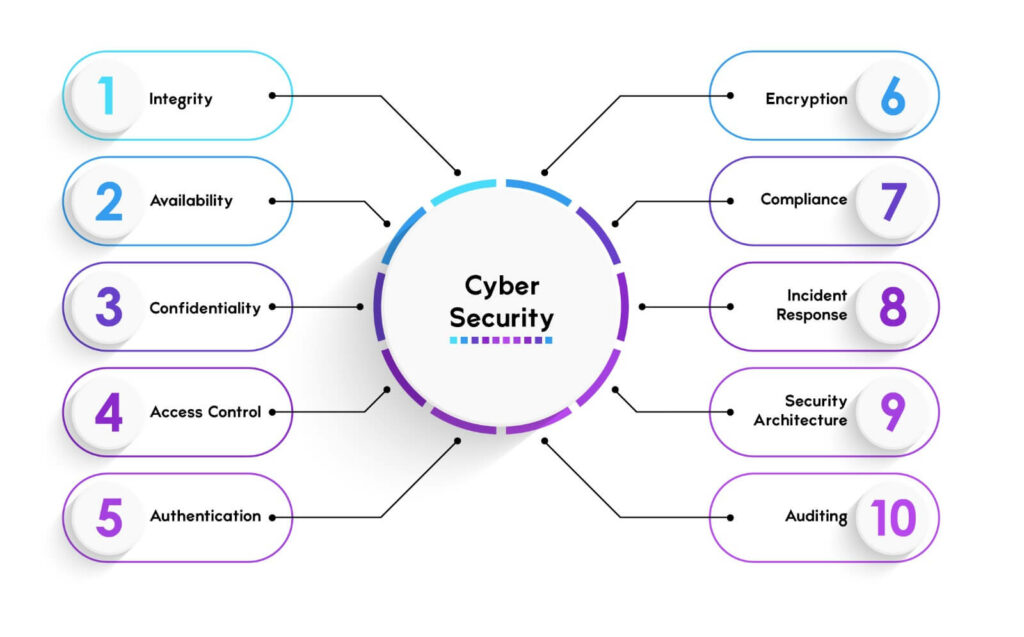
Key Consept Of Cyber Security


 1. Integrity:

 Assuring the data integrity and not being modified.

Example: Use of checksums or digital signatures to ensure that a file has not been altered during transmission.

2. Availability:

 The assurance the information systems and data are accessible and operating correctly, when needed.

Example: A website staying online and running smoothly when there is high traffic.

 3. Confidentiality:

 Ensuring that only authorized people or systems can access sensitive information.

Example: Encrypting a file so only the person with the correct password can open it.

4.Access Control:

Access control refers to the practice of regulating who can access specific resources, data, or systems within an organization. 

5. Authentication:

 Confirmation that users or systems are who they claim to be.

Example: Accessing an account using a password or two-factor authentication, such as a text message code, to validate your identity.

6.Encryption:

 The transformation of information into a code to avoid unauthorized access.

Using encryption protocols for example SSL/TLS to secure transactions and communications over the internet.

7.Compliance:

Compliance in cybersecurity relates to the adherence to laws, regulations, policies, and standards established to safeguard sensitive data, systems, and networks. In essence, compliance protects organizations from potential legal penalties, improves security practices, and reinforces confidence with customers and stakeholders.

8.Incident Response:

Definition: Actions taken in response to a security breach or attack intended to minimize damage and recover systems.

Example: Isolate affected systems, investigate the breach, and recover lost data from backups.

9.Sedurity Architecture:

Security Architecture refers to a technical design for an organization's security framework including the policies, technologies, and process to protect data, systems, and networks from harm. It is essentially the blueprint of how security controls are applied across an IT environment to ensure confidentiality, integrity, and availability.


Why Cybersecurity Important?


Cybersecurity protects the systems, networks, and data from digital attack, theft, and damage. In light of growing dependency on digital platforms for personal, business, and governmental activities, cybersecurity has come to be important in protecting personal information - securing highly sensitive data, including personal details, financial information, and health records, and preventing theft and fraud from identity.


Protect from Financial Loss: Ransomware and fraud attacks, together with data breaches, may result in loss of large sums of money among the individual and businesses.


Guarantee Business Continuity: Strong cybersecurity ensures business operations remain running by avoiding business downtime and disruption through cyberattacks.


Build Customer Trust: Cybersecurity protects customer information, meaning that companies do not face reputational loss due to breached data.


Fulfillment of Regulations: Most industries are legally bound to have cybersecurity systems in place to safeguard sensitive data, and failing to do so can attract fines.


Protection of National Security: The states utilize cybersecurity to protect infrastructure and sensitive information from cyber espionage or attack.


Cybercrime Prevention: As crime keeps rising in cyber space, cybersecurity is necessary in order to curb criminal activities such as hacking, data thefts, and phishing attacks.


"We Can Help You Build Your Website – Contact Us Now!"